
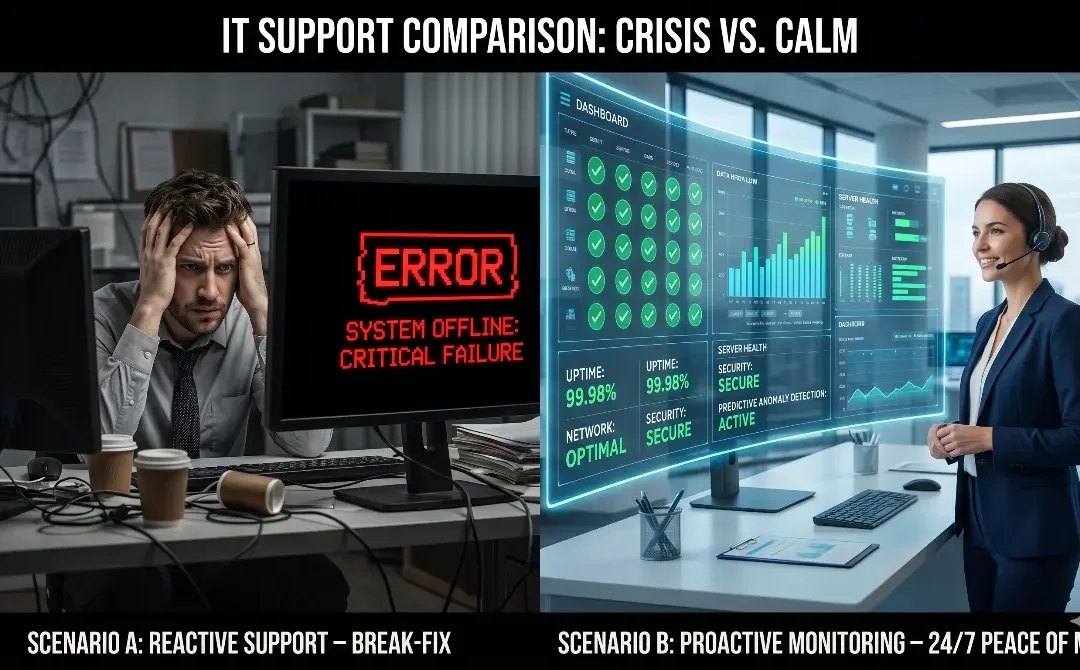
Imagine two companies of the exact same size, in the same industry, and with the same initial IT budget.
- Company A calls for support only when something has already stopped working: the server is down, the network has no connection, or the electronic billing system is locked up.
- Company B relies on constant proactive monitoring that detects anomalies before they become visible problems for employees.
At the end of the year, which one paid more?
The answer surprises many SME owners: Company A, the one that thought it was "saving" by paying for support only on-demand, ended up spending between 3 and 5 times more in hidden downtime costs.
Reactive Support: Convenient, Seemingly Cheap, Actually Expensive
Reactive support (known as the Break/Fix model) has a very deceptive appeal: you only pay when you need it. However, this logic completely ignores the costs that accumulate over time—costs you will never see itemized on an IT department invoice.
The hidden problems of reactive support:
- Critical Dependence: You are at the mercy of your provider's availability right at your moment of greatest crisis.
- Slow Diagnostics: Because the external technician doesn't monitor your network, they don't know the system's prior state when they arrive. They lose hours investigating.
- Band-Aid Solutions: Because there is an urgent need to get the service back online, temporary fixes are applied that do not resolve the root cause of the problem.
In an SME with continuous operations, every hour of downtime has a real, direct cost that few companies calculate accurately.
The True Cost of 1 Hour of Downtime for an SME
The cost of an hour without systems isn't just lost time; it is multidimensional. It includes lost productivity from idle employees, missed sales, logistical delays, emergency technician fees, and the reputational impact on your customers.
Let's do a conservative exercise for a 30-employee SME with monthly revenues of S/. 300,000 (PEN):
- Downtime cost in direct productivity: S/. 625 per hour.
- Cost of a severe full-day outage (8 hours): Over S/. 5,000 lost, not counting the lost profits from unclosed sales.
What is Proactive Monitoring and How Does it Work?
Proactive monitoring is a set of software tools and processes that continuously watch the health of your IT infrastructure (servers, network, storage, critical applications, and endpoints).
Silent agents installed on your systems send real-time telemetry to a centralized platform. Advanced algorithms analyze this data, and if they detect a hard drive overheating or RAM maxing out, the system generates an automatic alert. The technical team intervenes before the problem occurs.
The result: issues that used to end in paralyzing incidents are now resolved in minutes, often without the end-user even noticing that something was about to fail.
5 Problems Monitoring Detects BEFORE You Notice
- Imminent Hard Drive Failure: The system detects increasing read errors and warns to replace the drive days before it burns out.
- CPU or Memory Saturation: Before the server crashes, the process consuming abnormal resources is identified and stopped.
- Intrusion Attempts (Cybersecurity): Detects unusual network activity or multiple failed password attempts, blocking a potential attack in progress.
- Silent Corrupted Backups: Sometimes the system says "Backup Successful," but the file is corrupted. Monitoring verifies the actual integrity of your backups.
- Expiring SSL Certificates: Alerts you weeks in advance before your website shows the dreaded red "Not Secure" screen.
Real Case Study: Avoiding an 8-Hour Outage
A distribution company in Lima with 60 employees hired 24/7 proactive monitoring from MobileData Solutions (MDS).
After 3 months of service, on a Sunday at 2:00 AM, our system detected that the main server's RAID array was failing (one drive was showing critical errors). Our technical team received the automated alert and coordinated the drive replacement first thing in the morning, before the workweek started.
The company never knew it was less than 6 hours away from a total crash of its logistics systems.
- Cost of the drive and scheduled service: S/. 850.
- Cost of the avoided outage: Estimated at over S/. 12,000.
What Does a Quality Proactive Monitoring Service Include?
When evaluating a provider, make sure the plan includes:
- Uninterrupted monitoring (24/7/365) of servers, networks, and endpoints.
- Automated, scalable alerts based on severity.
- Real-time management dashboard showing your infrastructure's health.
- Centralized patch management and security updates.
- Automated verification of backup integrity.
Conclusion: IT Support is an Expense When Reactive; It's an Investment When Proactive
The fundamental difference lies in where you choose to spend your budget: before the problem (where you have total control and it's cheaper), or during the crisis (where you have no options and everything is urgent). Scaling SMEs don't view IT support as a "repair cost," but as an operational continuity policy.
Do you want to know what's failing on your network right now? All MDS IT Support plans include proactive monitoring.
📩 Schedule your free cybersecurity and network diagnostic today and receive an executive report on the real state of your infrastructure in less than 48 hours.